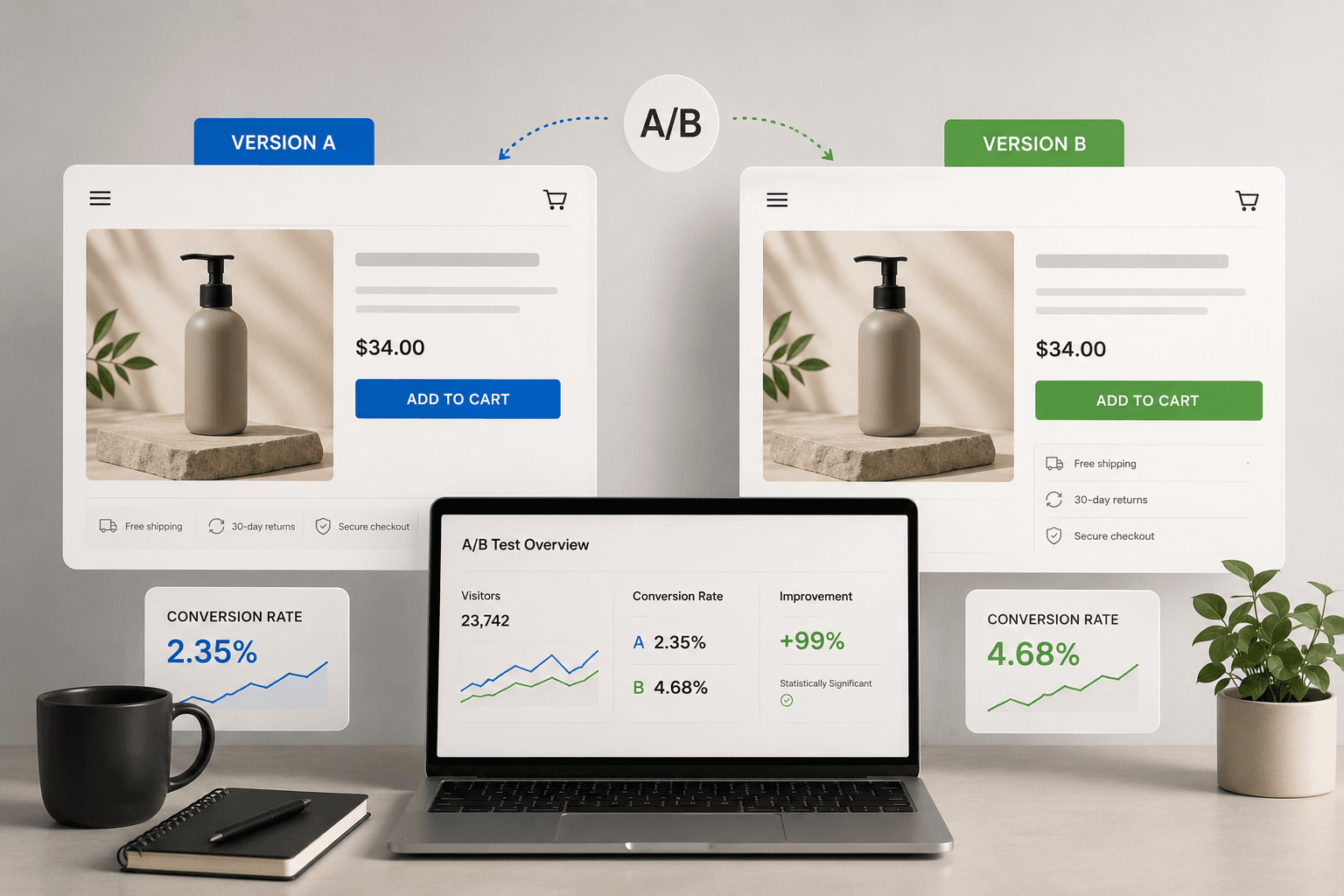
Quick answer: A/B testing software for Shopify runs from free plans to about $999 a month on the Shopify App Store. A self-run tool gives you the test engine, and you design, run and read every test. A managed platform finds, runs and reports the tests for you. Choose by how much time you have to test.
Checked 3 November 2026 on the Shopify App Store. Eulav is our product.
Choosing the right shopify a/b testing tool matters less than the discipline behind how you use it, most tests run by smaller stores don’t produce statistically reliable results.
A/B testing on Shopify means showing two versions of a page to different visitor segments and measuring which one converts better. Simple in concept, but most tests run by smaller stores don’t produce statistically reliable results, usually because of a handful of avoidable mistakes.
Shopify A/B testing tool mistakes that invalidate most results
- Ending the test too early. A test that “looks” like it’s winning after 200 sessions per variant is very likely noise, not signal.
- Testing during an unusual traffic period. Running a test only during a sale or a viral spike skews results toward that specific audience.
- Testing too many things at once. Change the hero image and the CTA copy simultaneously, and you won’t know which one moved the number.
What a valid test actually requires
Enough traffic to reach statistical significance (usually a few thousand sessions per variant, depending on your baseline conversion rate and how big a change you’re trying to detect), a single variable changed per test, and a fixed end date decided in advance rather than “whenever it looks good.”
Where tooling helps and where it doesn’t
Shopify’s own CRO documentation is clear that CRO is broader than A/B testing alone, testing tools handle the statistical mechanics, but coming up with the right hypothesis to test still takes real analysis of where your funnel is actually leaking.
Self-run tool or managed platform
Every option on the Shopify App Store falls into one of two camps. A self-run tool gives you the test engine and you do the rest. A managed platform finds the opportunities, builds the tests and reports the results, with you approving each one.
| Self-run testing tool | Managed platform | |
|---|---|---|
| Who finds what to test | You | The platform |
| Who builds and runs each test | You | The platform, with your approval |
| Who reads the result | You | The platform reports it |
| Cost to start | Free to $999 a month on the Shopify App Store | free opportunity finding and 2 optimisations |
| Best for | Teams with a testing process and time to run it | Stores that want results without running tests themselves |
Prices checked 3 November 2026. See A/B testing tool pricing, the free A/B testing tools for Shopify and the best tools for small stores. Switching from a larger suite? Read the Optimizely, VWO and AB Tasty alternatives.
If you’re new to testing, start with your highest-traffic page and the single change you have the strongest hypothesis for, resist the temptation to test something arbitrary just to get started. A well-reasoned first test, even a modest one, builds better testing habits than a random one.
Testing discipline compounds. A store running one well-designed test a month for a year will have accumulated twelve genuine learnings about its audience, far more valuable than a single large redesign shipped without any testing at all, regardless of how confident that redesign felt going in.
Archiving losing tests properly
Don’t just delete a losing test’s configuration, archive it with a note on what was learned. A test that didn’t win a specific metric can still reveal something useful about visitor behavior that’s worth remembering for future hypothesis generation.
Building testing into your regular workflow
The stores that get the most value from A/B testing treat it as a standing process, always one test running, a queue of hypotheses waiting, rather than an occasional project. This steady cadence compounds into meaningful conversion improvement over a year, even when individual tests each produce modest gains.
Common statistical mistakes beyond sample size
Peeking at results daily and stopping a test the moment it “looks” significant (rather than waiting for your pre-calculated sample size) is one of the most common ways stores invalidate otherwise well-designed tests, early results are naturally more volatile and can flip direction as more data accumulates.
Testing on low-traffic pages specifically
For pages that don’t get enough traffic to reach statistical significance in a reasonable timeframe, qualitative methods (user testing, session recording review) are often more practical than a formal A/B test, reserve formal testing for your highest-traffic pages where it’s actually achievable.
Sequential testing vs. running tests in parallel
Running multiple unrelated tests simultaneously on different pages is generally fine, but testing two changes on the same page at the same time (without a proper multivariate design) makes it impossible to isolate which change actually drove the result. Sequence tests on the same page, or use a tool built specifically for multivariate testing if you need to test several variables together.
Documenting test results for future reference
Keep a simple log of every test run, hypothesis, variant, result, and whether it shipped, even for losing tests. A losing test still tells you something about your audience’s preferences, and revisiting this log prevents accidentally re-running a test you’ve already invalidated.
How to calculate the sample size you actually need
The required sample size depends on your baseline conversion rate and how large a change you’re trying to detect, smaller expected improvements require dramatically more traffic to detect reliably. A free online A/B test sample size calculator, using your current conversion rate as the baseline, gives a realistic estimate before you commit to running a test.
What to do if you don’t have enough traffic for classic A/B testing
Lower-traffic stores can still make progress by focusing on structural fixes with strong prior evidence (documented in resources like Baymard’s checkout research) rather than requiring a fresh statistically significant test for every single change, not every fix needs its own controlled experiment to be worth shipping.
Common questions about Shopify A/B testing
How long should I run a test before concluding it’s valid?
Until you reach your pre-calculated sample size, and ideally across at least one full week to account for day-of-week variation in shopping behavior.
Can I test on mobile and desktop simultaneously?
Yes, but consider analyzing results separately by device, since behavior often differs enough that a combined result can mask a real effect on one device.
What’s a realistic lift to expect from a single test?
Most individual tests produce modest gains (low single-digit percentage improvements); compounding several successful tests over time is what produces meaningful cumulative impact.
A disciplined shopify a/b testing tool workflow, used consistently, beats sporadic large redesigns every time.
Whatever shopify a/b testing tool you settle on, the statistical fundamentals covered here still apply.
Related reading
- Shopify Checkout Optimization: The Full Guide
- The Ecommerce CRO Checklist: Product Page to Checkout
- CRO Case Studies: What Real Shopify Wins Actually Look Like
Where Eulav fits
Make the most of every visit and see a measurable lift in your first 30 days, or get a refund. Eulav is an AI-powered revenue optimisation platform for ecommerce brands, including Shopify stores, built by a team with over a decade in DTC revenue optimisation. It scans your store, shows where you can sell more, including any hidden blockers, and measures each optimisation you approve. Each optimisation is shown to some of your visitors first, and nothing goes live without your approval.
Spending on traffic? Whether a visit came from paid, organic or email, Eulav helps it convert, so your traffic spend earns more. At 1,000 visits, lifting conversion from 2% to 2.5% turns 20 orders into 25, with no extra ad spend.
Built for your category: Shopify CRO for fashion, beauty, supplement, jewellery, footwear brands. Comparing tools? See alternatives to Intelligems, Shoplift, Hotjar, Convert.
Make the most of the traffic you already invest in. Start with free opportunity finding and 2 optimisations. No card, 60-second setup.